


Your team is
just a click away

Trusted and loved by thousands of companies






Run your own Chat Network

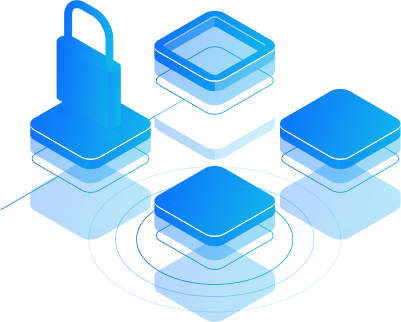
Set-up in 60 seconds
Security first
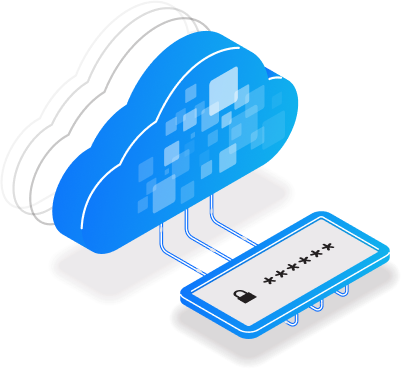

An all-in-one, secure instant messenger
See what’s being said about us
- "Been using Brosix for over 10 years for my clients"It's simple, private and secure. Unlike Skype there's nothing else to distract you. Brosix has all the features you need to be able to communicate, assist and work with clients. I give it my full recommendation as I've used it for hundred of clients over the last 10 years.Mark A.Small Business
frequently asked questions
What is Brosix?
Brosix is a powerful and easy-to-use instant messaging platform designed with team communication in mind. Brosix gives its clients a fully administrable private team network, which provides an exclusive and secure collaboration space. Clients control who is added or removed from the network, and can easily manage users through a range of administrative features. Brosix comes with a package of unique features and tools aimed at boosting team collaboration and streamlining communication. From a range of chat options, to screen-sharing and unlimited file transfers, Brosix is designed with the modern work environment in mind. This makes it an excellent solution for enterprises looking to improve their productivity.
Why Brosix instead of free public IM?
In short, Brosix gives customers a private network that grants them more control over internal communication and provides a higher level of security. Free public instant messengers allow users to communicate with any type of contact. With Brosix, clients are able to ensure the authenticity of network users, limit instant messaging to business purposes and easily manage their private network through a web-based administration console. Brosix is also committed to never displaying any advertisements, unlike free public IM.
Is Brosix secure?
At Brosix, security is a top priority. By taking a comprehensive approach to security, through end-to-end encryption on all communication channels, Brosix keeps all communications completely private and worry free.
Is Brosix cloud based?
Yes, all necessary server components run on the Brosix cloud. We handle everything from operations and upgrades, to maintenance and support, allowing you to focus entirely on your business without worrying about internal servers and maintenance.
Is Brosix HIPAA compliant?
Brosix does not process customer health information, so we are not subject to HIPAA. However, Brosix customers who are subject to HIPAA, SAS-70, SSAE 16, HITECH or any other regulation can easily meet their requirements. Find out more information about Brosix security
How do I set up a Brosix team network?
You can sign up for a 14 day trial through the Brosix Signup page with just your email address and basic personal information. For your convenience, we’ve created a tutorial to help you through the process.
How can I join an existing Brosix team network?
As part of Brosix’s strict security features, joining a network can only take place with administrator approval. This allows clients to authenticate anyone who would like to join their network.Users can join an existing Brosix network in one of three ways:– With an email invitation from the team administrator. Simply follow the instructions in the message.– By being directly added to the network by the team administrator.– By creating a Brosix account and joining the network directly (the administrator will need to share the network name or **ID beforehand and explicitly enable this option).More information for team administrators on creating and managing user accounts can be found here
Can Brosix users connect to each other outside of their team network?
A Brosix user can communicate only with users in the same team network. Each Brosix user account is fully managed, configured and monitored by the team network administrator.
Are there any limits on the number of employees who can use Brosix?
Brosix is an ideal solution for teams of all sizes. You can experience the benefits of Brosix on a team network with as few as 2-3 users, or as many as 10,000. Most importantly, when your business expands you can change the number of users in your team at any time. Each available level of Brosix upgrades to accommodate your team’s size.
What are the specific features available on Brosix?
Brosix provides multiple features aimed at increasing team collaboration, facilitating network administration, and ensuring a smooth user experience. We also continuously strive to update and expand our features based on user feedback. We encourage you to explore Brosix IM’s Features.