


Remote Screen Sharing With Brosix
Have you ever tried to explain to a customer or colleague how to configure their computer or use a software application? Sometimes it’s easier and faster to show than to explain. Or sometimes it’s even better to do it yourself on their computer while using your own. Brosix’s screen sharing and remote desktop feature allows you to do just that.
The Brosix screen sharing feature lets colleagues and friends easily share and view each other’s screens on their desktop devices. Brosix offers four options for screen sharing and remote access:
- Share your screen with a contact to view.
- Share your screen with a contact and grant them access to operate your computer (also known as remote desktop).
- View the screen of a contact.
- Access and operate your contact’s computer.
Brosix users have already found multiple ways in which this feature improves their collaboration and productivity. Here are a few of the top ones:
Train Your Staff Easily
Whether onboarding new hires or upskilling current team members, Screen Sharing and Remote Desktop allow you to easily demonstrate new techniques and procedures directly on your trainees’ own computers. This is a particularly useful solution if you work with remote employees. The quick and secure access gets team members onboard in no time.
Engage Colleagues and Clients With Presentations
Share a presentation directly from your computer with an audience anywhere in the world. Screen Sharing can help you to more effectively engage current and potential clients, remote team members, vendors, or anyone else. Introduce new efficiencies in your processes and share information through a secure connection.
Access Computers for Remote Support and Control
IT departments can now check employees’ computers remotely even if they’re located in another country. IT support becomes more effective as you can also demonstrate new programs and how they work to a colleague, or even check out certain websites or apps together. The infrastructure is also excellent for quality online customer support.
Apart from its numerous uses, our screen-sharing feature has two particularly strong aspects:
- It’s free and unlimited. There are no restrictions on how long or how often you can use the feature for. You can use it for short periods every day or leave it running all day for better control. There’s no cap on usage.
- It’s simple to use. You can launch a session in seconds with a couple of clicks of the mouse.
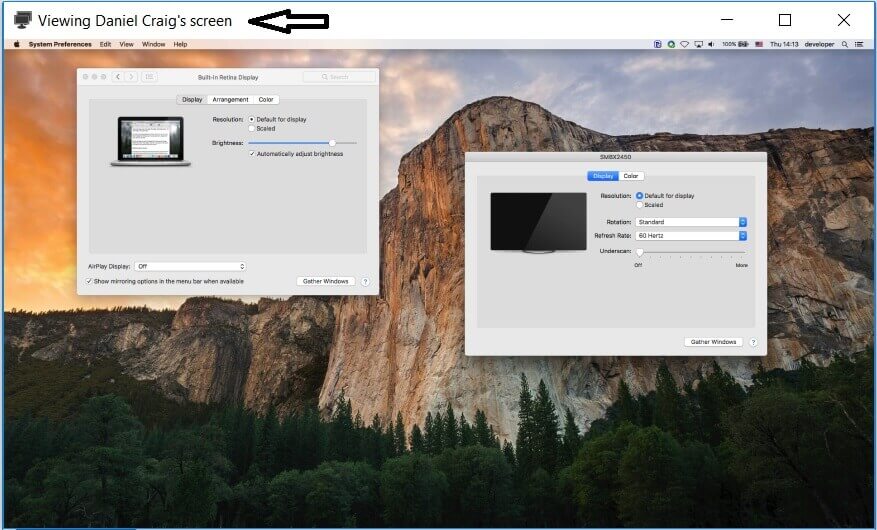
Share Your Screen in 3 Simple Steps
No matter whether you’re using Windows, Mac, or Linux, once you’ve downloaded and installed the Brosix desktop version, follow these steps:
- Choose a contact from your contact list.
- Click on the “Screen Sharing” icon on the right side:

- Select the type of session:

- Present: You can choose from either “Show my screen” or “Show my screen and give remote control.”
- View: The available options here are “View remote screen” and “View remote screen with remote control.”