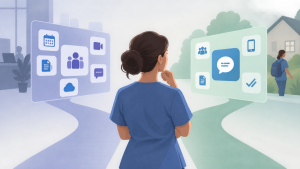
Do small home health agencies need Microsoft Teams or a simpler messaging app? October 14, 2026 by Brosix Editorial Team Not necessarily. Small home health agencies may prefer a simpler messaging app when their main need is fast, visible communication between clinicians and the office. Microsoft Teams makes more sense when the agency already relies heavily on Microsoft 365 and also needs shared documents, meetings, and broader collaboration in the same environment. When Microsoft Teams […] Read more » Collaboration Tools Questions Brosix Home Health Agencies Microsoft 365 Microsoft Teams Mobile Messaging Read Receipts
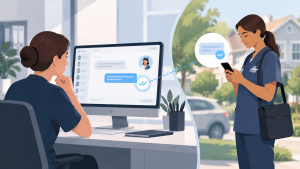
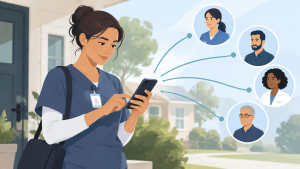
Why does desktop messaging matter when clinicians work in the field? October 13, 2026 by Brosix Editorial Team Desktop messaging matters because home health communication has two sides: clinicians working in the field and office staff coordinating their work. While clinicians need mobile access, coordinators and administrators often work in scheduling systems, email, and patient-related software on their computers. Desktop messaging lets office staff read and reply from that same workspace instead of […] Read more » Questions Team Communication Brosix Care coordination Desktop messaging Home Health Mobile Messaging
Why are read receipts useful for home health teams? October 12, 2026 by Brosix Editorial Team Read receipts help home health teams reduce uncertainty by showing office staff whether a field clinician has opened a message. That visibility helps schedulers and coordinators decide when to wait for a reply and when to follow up. A read receipt answers one narrow question—has the message been opened?—but does not prove agreement, action, or […] Read more » Questions Team Communication Brosix Clinician Scheduling Home Health Message follow-up Read Receipts
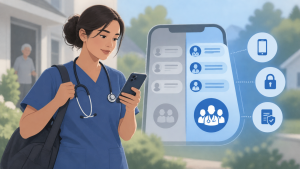
Should home health clinicians use personal phones for work messaging? October 11, 2026 by Brosix Editorial Team Yes, home health clinicians can use personal phones for work messaging when the agency provides an approved, dedicated work app and clear rules for its use. This bring-your-own-device approach, or BYOD, can be practical, but it requires access controls, device safeguards, and a compliance review appropriate to the agency’s environment—not simply permission to text coworkers. […] Read more » Business Messaging Questions Access controls Brosix BYOD HIPAA Compliance Home Health Mobile Messaging
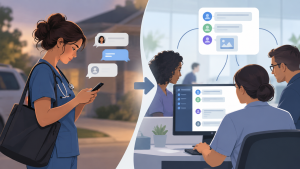
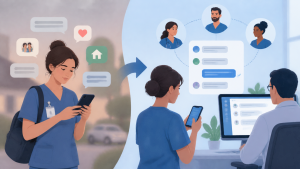
Team messaging vs. text messaging for home health agencies: what is the difference? October 9, 2026 by Brosix Editorial Team For a home health agency, regular phone texting connects individual phone numbers, while a dedicated team messenger organizes communication around agency-managed accounts and work groups. The practical difference is not simply sending messages faster: it is separating work from personal conversations, giving authorized office staff shared visibility, and managing who can participate. Specific features vary […] Read more » Questions Team Communication Brosix Home Health Agencies Messaging Administration Read Receipts Scheduling Coordination Text Messaging
Is regular texting appropriate for communication with home health clinicians? October 8, 2026 by Brosix Editorial Team Yes, regular texting can be appropriate for simple, non-sensitive coordination with home health clinicians, provided it fits your agency’s communication policies. SMS and iMessage are familiar and convenient, but a dedicated work messenger becomes more useful when the office needs shared visibility, centrally managed users, and a clearer boundary between work and personal conversations. Where […] Read more » Business Messaging Questions Brosix Group messaging Home Health iMessage Read Receipts SMS
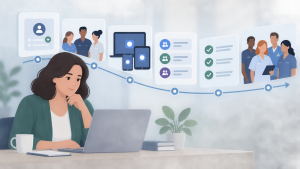
How can a small home health agency roll out a messaging app without an IT team? October 7, 2026 by Brosix Editorial Team A small home health agency can roll out a messaging app without an IT team by creating individual accounts, inviting a small pilot group, installing the apps, organizing conversations, testing everyday workflows, and then expanding to everyone. With Brosix, an owner or administrator can manage the agency’s private network through a web-based control panel without […] Read more » Business Messaging Questions Brosix Home Health Agencies Messaging app rollout Pilot Testing Staff onboarding
How can home health agencies make sure important work messages are easy to notice? October 6, 2026 by Brosix Editorial Team Home health agencies can make important work messages easier to notice by using a dedicated work messenger with push notifications, keeping clinicians signed in during work hours, and checking read receipts for time-sensitive updates. This reduces the need to repeatedly open an app, but reliable communication also requires tested phone settings and a clear follow-up […] Read more » Questions Team Communication Brosix Home Health Agencies Notification Settings Persistent login Push Notifications Read Receipts
How can a home health agency reduce communication friction for field clinicians? October 5, 2026 by Brosix Editorial Team A home health agency can reduce communication friction by making messaging quick to access, familiar to use, and clear about who needs to respond. Choose a mobile workflow with minimal login interruptions, timely notifications, simple conversations, and brief onboarding on agency-approved devices clinicians already use. Ease of use matters because staff must be able to […] Read more » Questions Team Communication App adoption Brosix Field Clinicians Home Health Mobile Messaging Staff onboarding
What should a home health agency look for in a team messaging app? October 3, 2026 by Brosix Editorial Team A home health agency should look for a team messaging app that clinicians can use easily between visits and office staff can manage from their desks. Prioritize reliable push notifications, persistent login with appropriate safeguards, group conversations, read receipts, photos and files, straightforward administration, and privacy and security capabilities appropriate for patient information—not the longest […] Read more » Questions Team Communication HIPAA Compliance Home Health Agencies Mobile Messaging Push Notifications Read Receipts User Administration