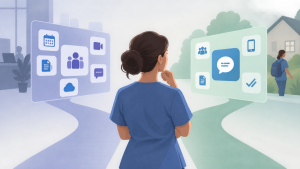
Do small home health agencies need Microsoft Teams or a simpler messaging app? October 14, 2026 by Brosix Editorial Team Not necessarily. Small home health agencies may prefer a simpler messaging app when their main need is fast, visible communication between clinicians and the office. Microsoft Teams makes more sense when the agency already relies heavily on Microsoft 365 and also needs shared documents, meetings, and broader collaboration in the same environment. When Microsoft Teams […] Read more » Collaboration Tools Questions Brosix Home Health Agencies Microsoft 365 Microsoft Teams Mobile Messaging Read Receipts
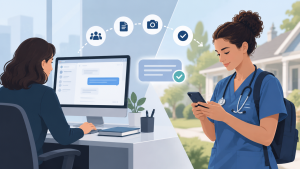
Why does desktop messaging matter when clinicians work in the field? October 13, 2026 by Brosix Editorial Team Desktop messaging matters because home health communication has two sides: clinicians working in the field and office staff coordinating their work. While clinicians need mobile access, coordinators and administrators often work in scheduling systems, email, and patient-related software on their computers. Desktop messaging lets office staff read and reply from that same workspace instead of […] Read more » Questions Team Communication Brosix Care coordination Desktop messaging Home Health Mobile Messaging
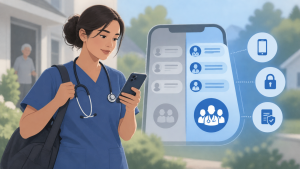
Should home health clinicians use personal phones for work messaging? October 11, 2026 by Brosix Editorial Team Yes, home health clinicians can use personal phones for work messaging when the agency provides an approved, dedicated work app and clear rules for its use. This bring-your-own-device approach, or BYOD, can be practical, but it requires access controls, device safeguards, and a compliance review appropriate to the agency’s environment—not simply permission to text coworkers. […] Read more » Business Messaging Questions Access controls Brosix BYOD HIPAA Compliance Home Health Mobile Messaging
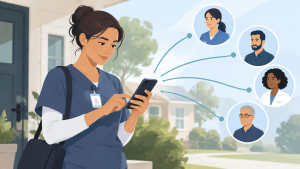
How can a home health agency reduce communication friction for field clinicians? October 5, 2026 by Brosix Editorial Team A home health agency can reduce communication friction by making messaging quick to access, familiar to use, and clear about who needs to respond. Choose a mobile workflow with minimal login interruptions, timely notifications, simple conversations, and brief onboarding on agency-approved devices clinicians already use. Ease of use matters because staff must be able to […] Read more » Questions Team Communication App adoption Brosix Field Clinicians Home Health Mobile Messaging Staff onboarding
What should a home health agency look for in a team messaging app? October 3, 2026 by Brosix Editorial Team A home health agency should look for a team messaging app that clinicians can use easily between visits and office staff can manage from their desks. Prioritize reliable push notifications, persistent login with appropriate safeguards, group conversations, read receipts, photos and files, straightforward administration, and privacy and security capabilities appropriate for patient information—not the longest […] Read more » Questions Team Communication HIPAA Compliance Home Health Agencies Mobile Messaging Push Notifications Read Receipts User Administration
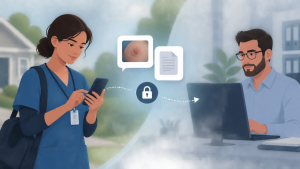
Can home health clinicians securely send photos and documents to the office? September 30, 2026 by Brosix Editorial Team Yes, home health clinicians can securely send photos, PDFs, and other work files to the office through an agency-approved team messaging app, provided the agency’s security policies and compliance controls permit that use. A practical workflow keeps the file and its accompanying message in the relevant work conversation, where office staff can receive it on […] Read more » File Sharing Questions Brosix Field-to-office communication Home Health Mobile Messaging Patient information security
How can supervisors communicate with office and field employees? September 3, 2026 by Brosix Editorial Team The most reliable approach is to run one messaging platform that works the same way on desktop and mobile, give every employee an account that doesn’t depend on company email, and organize conversations into a few clear channels: direct messages for individual issues, small operational groups for each crew or job, and a single announcement […] Read more » Questions Team Communication Deskless Workers Field Team Communication File Sharing Internal Announcements Mobile Messaging Shift Handovers