


Send Large Files through Brosix
Much faster than sending through email!
With the Brosix File Transfer feature you can quickly and safely send unlimited size files to anyone on your Brosix network. Brosix’s File Transfer automatically compresses all files on the fly. Brosix also opens direct channels between the users that exchange files, making the file transfer extremely fast and reducing the required bandwidth.
Encrypted P2P File Transfer
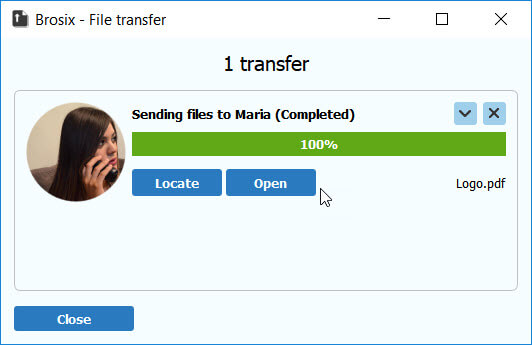
Safely transfer files to anyone on your network. As with all communication channels on Brosix networks, the file transfer feature applies strong encryption to all file transfers on Brosix networks. You can be sure that your files will remain confidential while in transit.
Send Files to One or More Contacts
Transfer files to any number of contacts on your Brosix network for quick and efficient collaboration. With a few clicks you can send files to any number of contacts from your contact list.
Send Files to Groups
Brosix file transfer helps you collaborate more efficiently with groups on your network. Save time by easily sending files to all members of group in your contact list at once.
How to Send files
Brosix provides you with several convenient ways of sending files:
- Drag-and-drop the selected files directly into the contact list in the Brosix main window.
- Drag-and-drop the selected files directly into the text chat window.
- Select a name from your contact list and click on the “File Transfer” button on the right.
- Click on the “File Transfer” button from the text chat window during a chat session with one of your contacts.
- Drag-and-drop the selected files directly into an active voice or video call.
Once you start your file transfer, a file-sending dialogue box will appear. There you can see the transfer status, cancel the transfer, or select the “Close when download completes” option (to close the window automatically).
Receive files
Brosix will notify you immediately when someone sends you a file. Receiving your file is also a very simple procedure – just follow the prompts.