


Screenshot Software to Instantly Send and Receive Screenshots
Send me a screenshot fast!
During the work process, we sometimes need to share what’s on our screens with our colleagues. Sending a screenshot is an efficient way to exchange information. It’s faster than typing text or providing a link.
Brosix offers the easiest way to capture an image from your screen and send it to one or more users in seconds.
Peer to Peer (P2P) Screenshots
The Brosix screenshot feature lets you share an image from your desktop in a matter of seconds—a vast improvement on previous old-fashioned methods.
What’s best is that your communication is protected by end-to-end encryption. The P2P technology that is at the heart of Brosix’s operations ensures that everything you send is inaccessible to third parties, not even us.
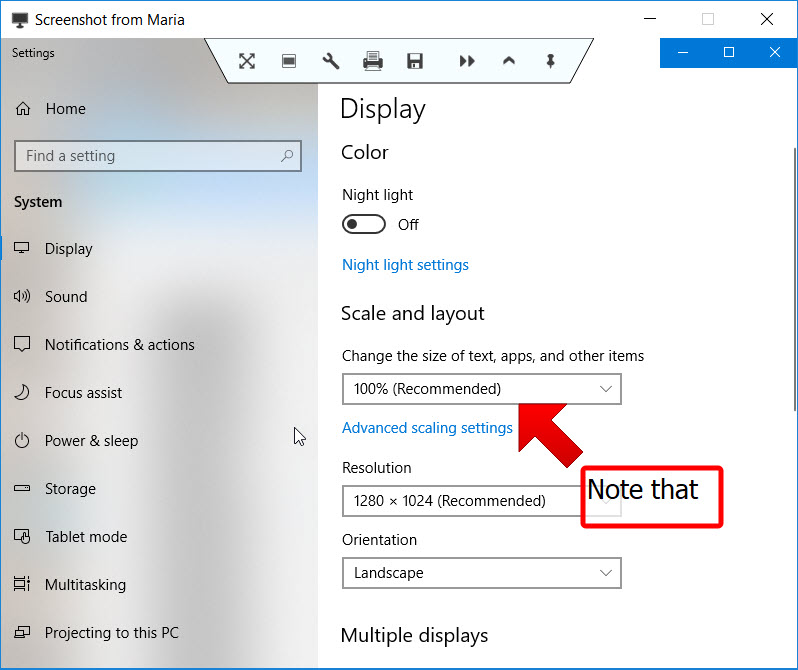
With Brosix, you can send a screenshot in just two steps:
- Select a name from your online contact list or open a chat window.
- Click on the “Screenshot” button to the right of your contact list.
That’s it—simple, fast, and easy.
To send a screenshot of your Brosix screen, simply hold the Ctrl button on your keyboard when you click the “Screenshot” button on your screen. Not holding the Ctrl button means you share a screenshot of your entire screen without the Brosix application being visible.
Save, Print, Edit or Forward Screenshots
Brosix gives you the option to quickly save screenshots to your desktop. You can also forward a received screenshot to other contacts or print it for your convenience. There are even editing tools that allow you to zoom in, crop, and add emphasis to images before forwarding.
Share Screenshots With Chat Rooms
The instant screenshot option lets you quickly share images with entire groups through the cloud. With a few simple clicks, you can send a screenshot to all the members of a chat room for more efficient group collaboration.
Send Screenshots to Offline Contacts
With the Brosix screenshot feature, you don’t have to wait for a contact to appear online in order to send an image. By sharing the screenshot through the cloud-based instant option you can send your image now, and your contact will receive it the next time they log in to the network.